Your personalized discount coupons can be accessed directly through your website account. Simply navigate to the "My Account" section and scroll to the bottom of the page to locate "My Coupon Codes." This section displays all your active discounts, including loyalty customer program (LCP) related offers and any other ongoing promotions. Active coupons remain visible, while expired or redeemed codes are automatically removed from the list.
How to access my account section:
- Go to the Acustica Audio website: https://www.acustica-audio.com.
- Enter your account, using your email user-name and password credentials.
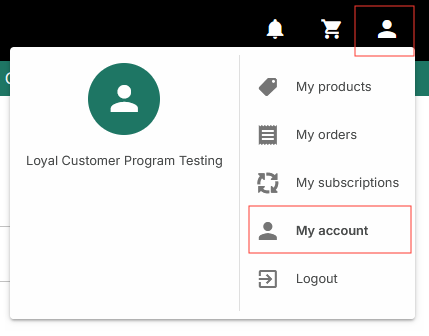
- Go to my account section by clicking on the body icon in the upper-right corner of the website.
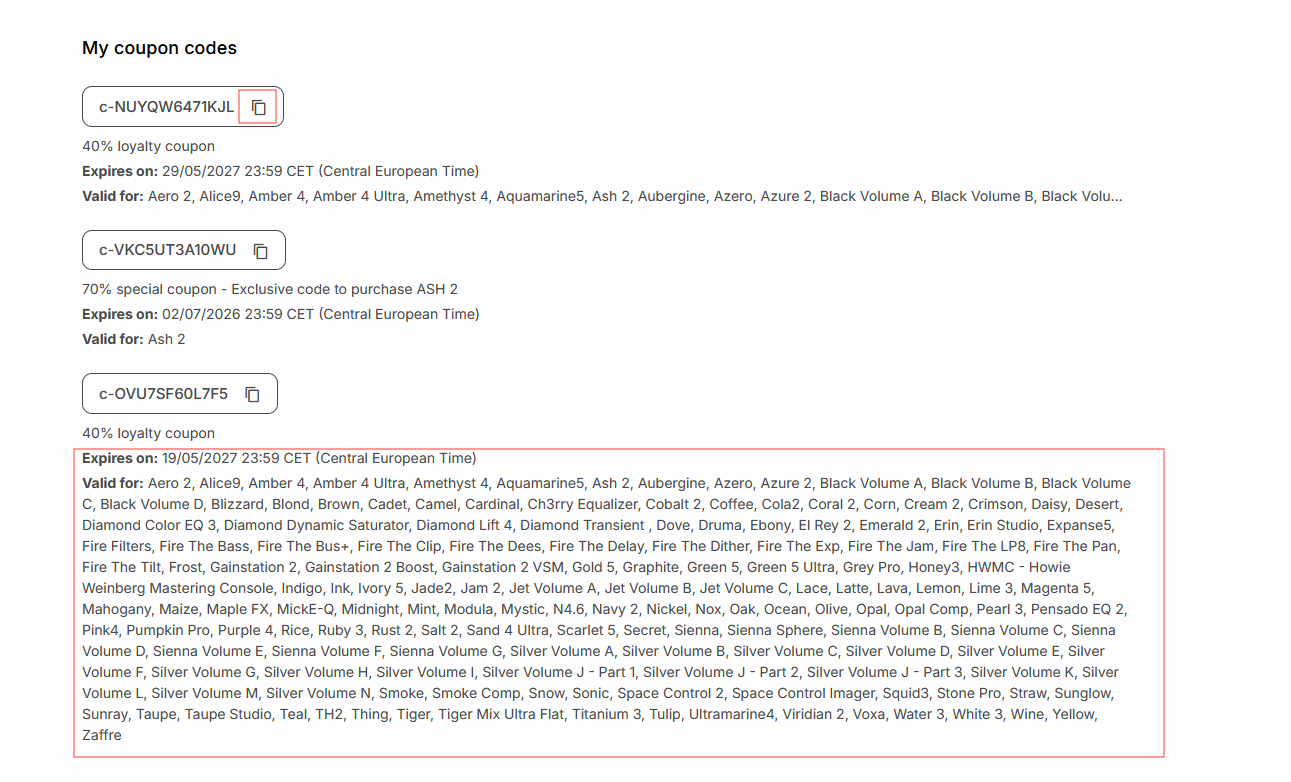
- At the bottom of my account webpage, you will see the available coupons displayed under My coupon codes.
Each coupon shows the following information:
- The coupon code.
- Discount percentage.
- Expiration date.
- Eligible products.
Additional features:
- Click on the product list (valid for) to expand and view the complete catalog of products eligible for each discount.
- Copy any coupon code to your clipboard instantly by clicking the double-rectangle icon to the right of each discount code.
The Acustica Audio single point of contact (SPOC) is the Acustica Audio help-desk portal. In order to access to Audio help-desk portal go to the Acustica Audio website and then to the support section. We do not provide help, assistance, or support via social networks, public forums, or through our email accounts.
Was this article helpful?
That’s Great!
Thank you for your feedback
Sorry! We couldn't be helpful
Thank you for your feedback
Feedback sent
We appreciate your effort and will try to fix the article