Payment errors in the web-shop check-out can occur for a variety of reasons, including:
- Network issues: Connectivity interruptions, routing errors, or temporary communication failures.
- Web-browser issues: Corrupted cache, cookies, outdated extensions, plug-ins, or conflicting browser configurations.
| Basic troubleshooting |
- Clear your browser data: Clear cache and cookies, then relaunch the browser.
- Try another browser: Preferably use a Chromium-based browser such as Brave, or Google Chrome in Incognito/Private Mode.
- Restart your network equipment: Restart your internet router and any network switches.
- Disable VPNs or proxies: VPNs can interfere with secure payment communication.
- Use a single, stable connection: Disable secondary Wi-Fi networks and, if possible, use a wired Ethernet connection.
- Try a different internet connection: For example, switch to a 4G or 5G mobile network.
- Test another device or computer: Try completing the purchase from a different computer, tablet, or smartphone.
| Advanced Troubleshooting |
If the issue persists after completing all steps above, please collect technical information so we can investigate further or share it with our payment provider (PayPal).
Follow these steps carefully:
- Open a Chromium-based browser (e.g., Chrome) in Incognito/Private Mode.
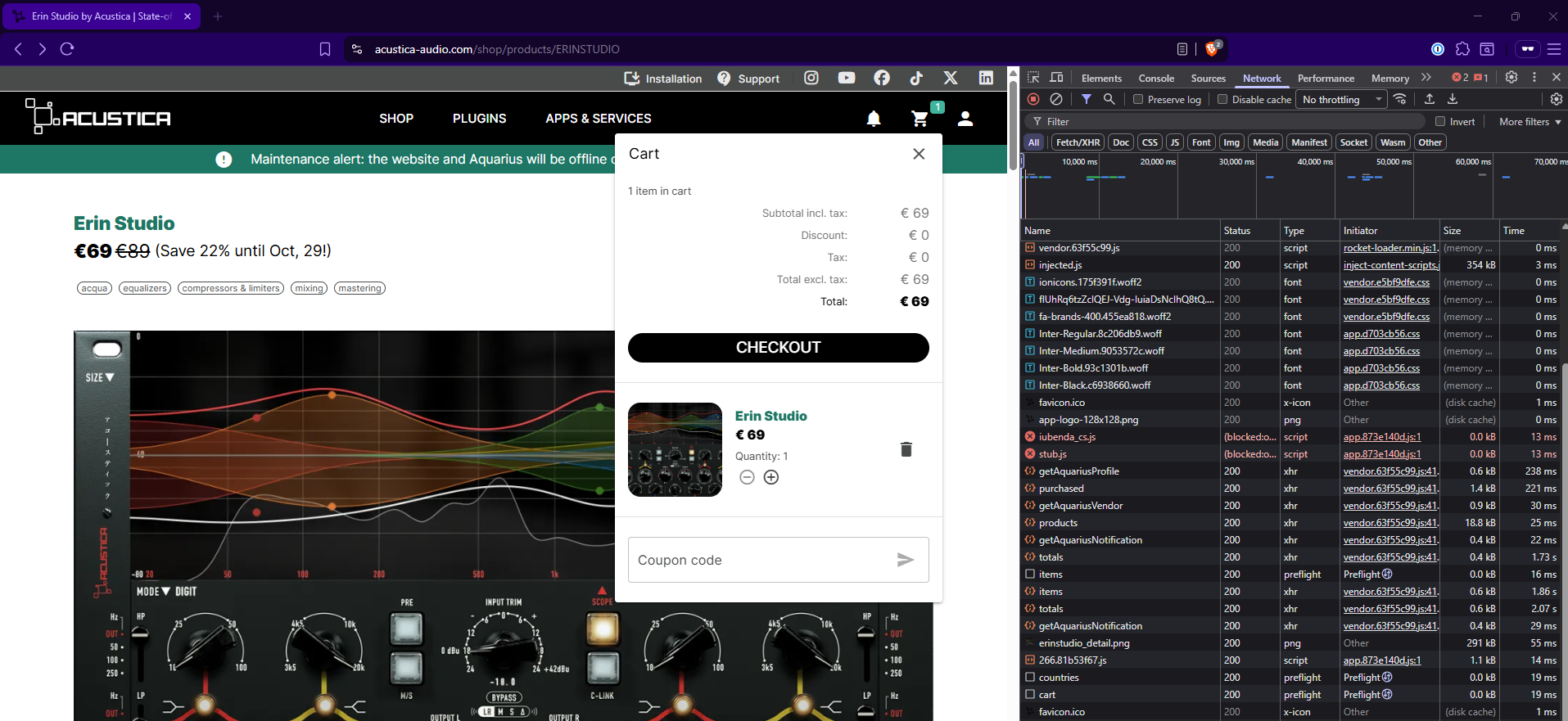
- Open Developer Tools
- Press F12 or Ctrl+Shift+I (Windows) / Cmd+Option+I (Mac).
- Go to the Network tab.
- Start recording network activity. Click the Record button (●) if it’s not already active.
- Log in to your Acustica Audio account and proceed to the checkout page.
- Attempt your purchase again until the error appears.
- Stop the recording and save the file with the extension .HAR (HTTP Archive).
- Record your screen while repeating the checkout attempt (optional but helpful).
- Send both files (HAR file + screen recording) to our help-desk team for review.
Was this article helpful?
That’s Great!
Thank you for your feedback
Sorry! We couldn't be helpful
Thank you for your feedback
Feedback sent
We appreciate your effort and will try to fix the article