On the Windows operating system (OS), the Sienna System-Wide (SW-2) product does not support 24-bit fixed bit depth, which can cause audio output noise. To resolve this failure, configure the Sienna System-Wide (SW-2) standalone virtual audio device to use either a 16-bit fixed or 32-bit floating-point bit depth on Windows sound settings.
In Windows 11, you can access the audio settings in two ways:
- From the Windows Control Panel, in the classic interface (legacy control panel).
- From Windows Settings, in the modern Interface.
Using Windows Control Panel:
- Go to Windows Control Panel
- Go Sound.
- Select the playback tab.
- Select Sienna System Wide 2ch.
- Click on properties.
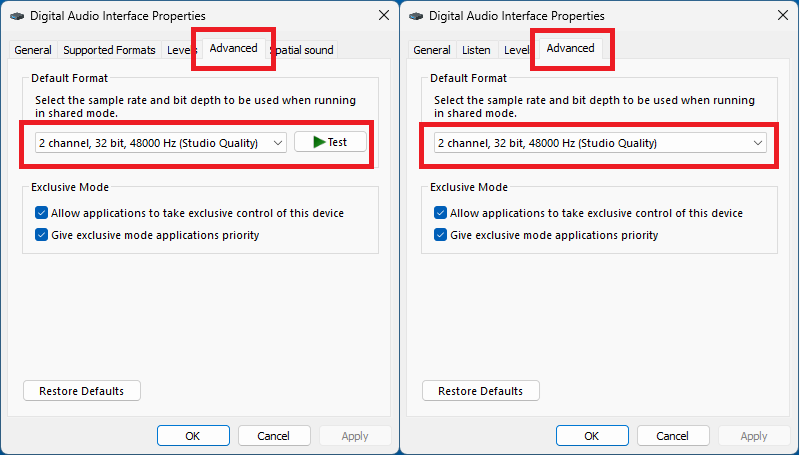
- In the new floating window, go to the advanced tab.
- Change the default mode to "2 channel, 32 bits, 48000 Hz".
- Click ok.
- Select the recording tab.
- Select Sienna System Wide 2ch.
- Click on properties.
- In the new floating window, go to the advanced tab.
- change the default mode to "2 channel, 32 bits, 48000 Hz".
- Click ok.
Using Windows Settings:
- Go Windows + I.
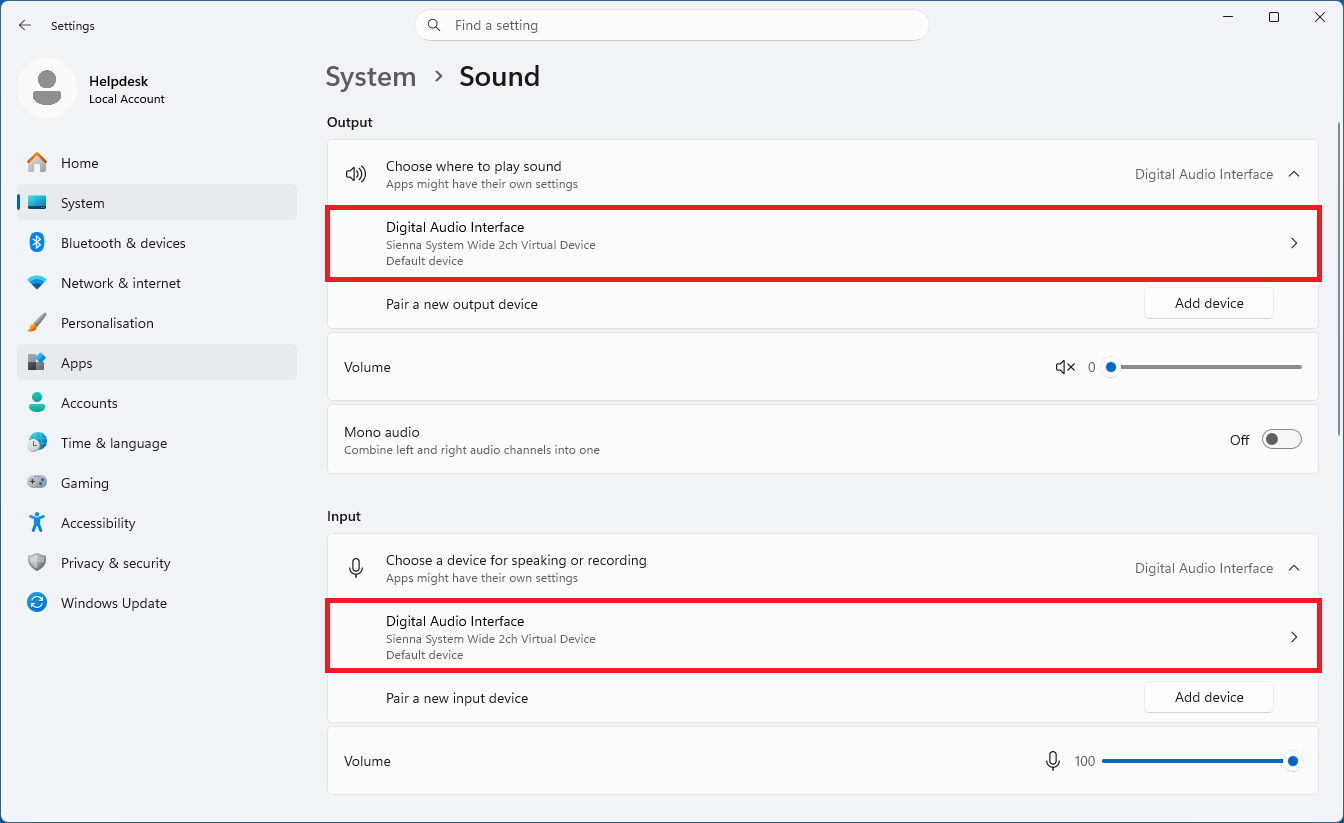
- Go to the system, then to sound.
- On the output section. Click on Digital Audio Interface Sienna System Wide 2ch to go to device properties.
- On output settings, select the format "2 channel, 32 bits, 48000 Hz".
- Go back to the system, sound.
- On the input section. Click on Digital Audio Interface Sienna System Wide 2ch to go to device properties.
- On input settings, select the format "2 channel, 32 bits, 48000 Hz".
NOTES:
- We recommend disabling any audio device, whether physical hardware or virtual software, that you do not actually need.
- Please refer to your audio device’s user manual to determine whether it supports Exclusive Mode.
If the power mode is set to Balanced or Best power efficiency under Settings, System, Power, Sienna System-Wide (SW-2) may cause your computer to crash when it wakes from sleep.
The Acustica Audio single point of contact (SPOC) is the Acustica Audio help-desk portal. In order to access to Audio help-desk portal go to the Acustica Audio website and then to the support section. We do not provide help, assistance, or support via social networks, public forums, or through our email accounts.
Was this article helpful?
That’s Great!
Thank you for your feedback
Sorry! We couldn't be helpful
Thank you for your feedback
Feedback sent
We appreciate your effort and will try to fix the article